PSD Import
Bring a layered Photoshop design in as components — and send it back out.
What happens to a .psd.
PSD in the Inspector palette uploads the file, parses it in the browser, and turns its layer tree into editor groups and nodes.
- The .psd is posted to the page's psd/ folder.
- It is parsed and its layer tree walked.
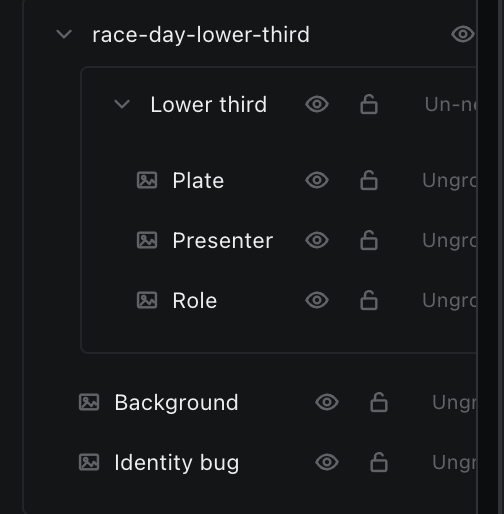
- Each Photoshop group becomes a Glider group; each text layer becomes a text node; each raster layer becomes an image node with its own PNG uploaded beside the .psd.
- A manifest JSON is written next to the file, recording every layer's path, bounds, opacity and hidden state.
- The new nodes and groups are spliced into the scene, with the root group selected.
| Limit | Value |
|---|---|
| Max file size | 1 GB |
| Max layers | 300 |
| Max group depth | 4 — deeper groups are flattened into their parent |
Flattening is non-fatal: the import reports how many group shells were dropped, and their contents survive in the parent group.