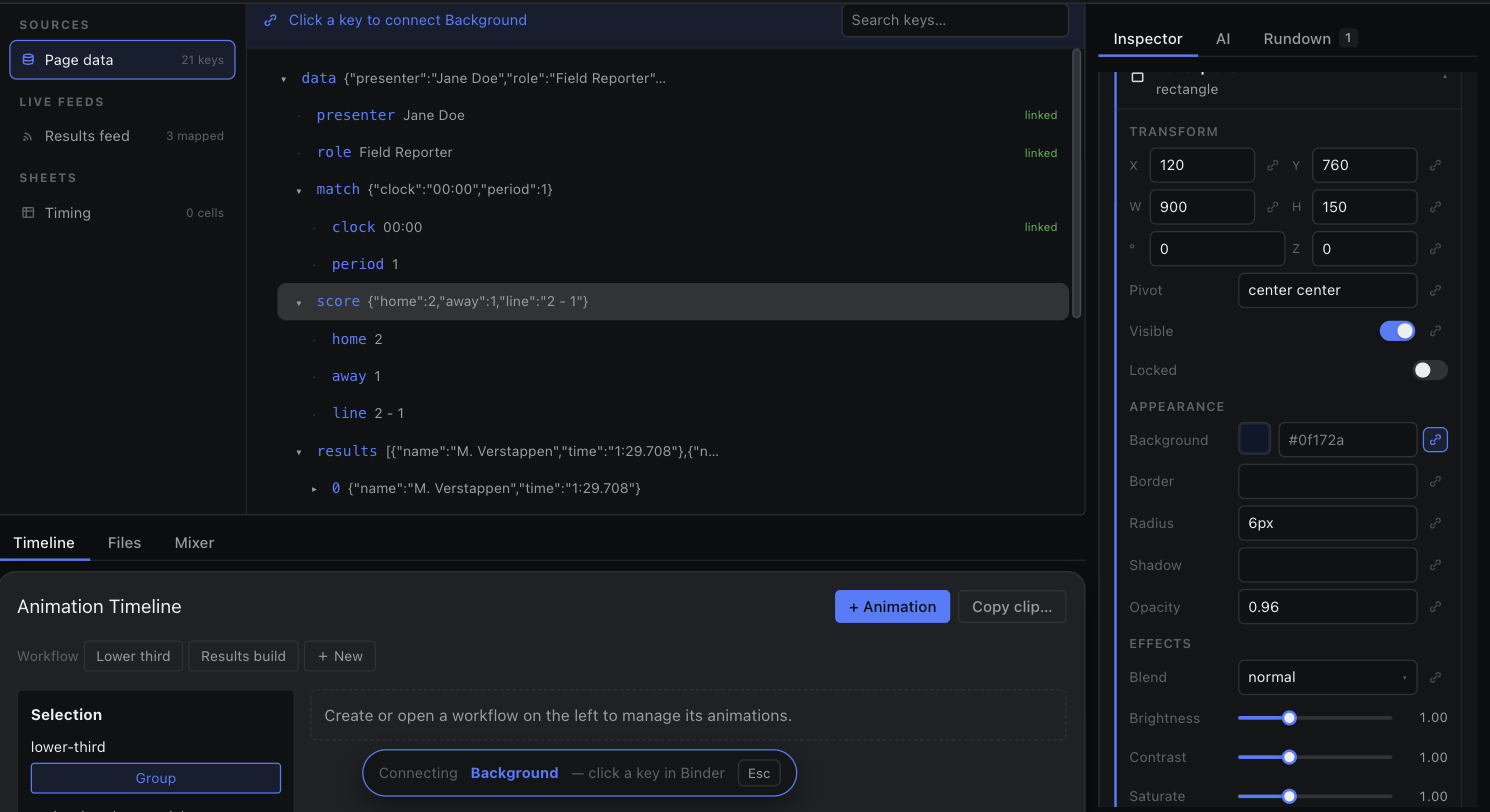
Binder
The pick surface that connects component inputs to page data, live feeds and sheets.
Arm a field, pick a key, done.
- Click the bind icon beside a field in the inspector. That field becomes the armed slot and the Binder opens in its own window beside the inspector — the desktop app's inspector popped out included. An unsaved page, which cannot share a pick across windows, gets the Binder tab instead.
- The Binder header reads “Connecting <field> — pick a key from page data, a live feed, or a sheet cell.”
- Click a key. The field is bound, the slot disarms, and the inspector shows the painted value with the input locked.
Only one slot is armed at a time, across every window of the page: Esc or a second press on the same bind icon disarms it wherever you are. Unbinding from the inspector restores an editable, static value.