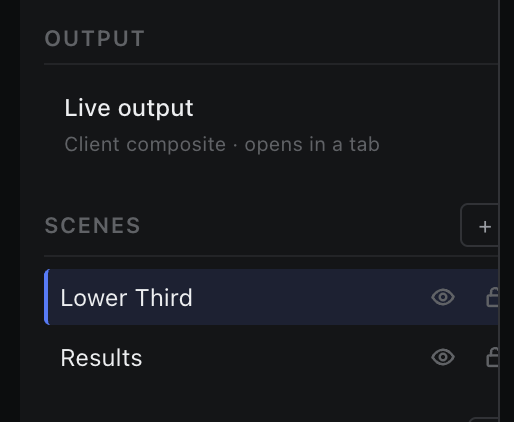
Scene Panel
The left column: what is on air, the scene list, control panels, and the component tree.
The on-air summary at the top of the panel.
Output is one row — Live output, “Client composite · opens in a tab” — and a count in the section header reading “n on-air”. Clicking the row opens the Output tab: the same composite the live client renders.
What counts as on air
- A scene is on air when it is a canvas layer and its eye is on. There is no separate take button — visibility is the on-air state.
- Control panels are never on air, whatever their visibility.
- Hidden nodes and control widgets are excluded from the composite even inside an on-air scene.
- If no scene is marked visible, the live client falls back to the active graphic scene.