Variables
Typed values, lists and key–value maps the operator edits live — with sorting and reordering that animates on air.
What a Variable is and where the scene reads it.
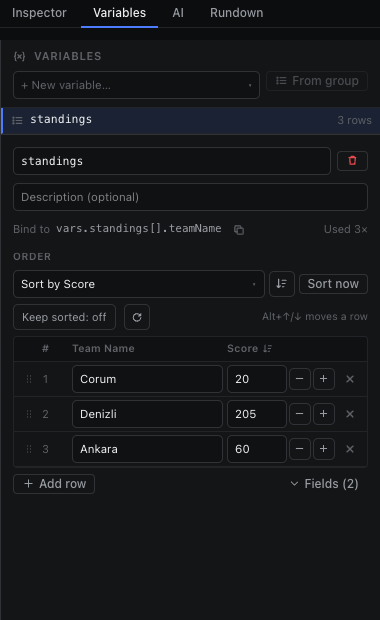
A Variable is a named, typed value that belongs to the page: a single value (text, number, on/off, colour, image), a list of rows with fields, or a key–value map. You create and edit them in the Variables tab of the right dock — no code, no JSON. The scene reads every Variable at vars.<name>, so anything that can bind to page data can show it.
| Type | Holds | Read it at |
|---|---|---|
| Text, Number, Boolean, Color, Image | One value | vars.title |
| List | Rows with typed fields (a team's name, score, logo…) | vars.standings[].name — one per repeated row; vars.standings[0].name — the first row |
| Key–value map | A lookup table (team code → colour) | vars.colors.GS |
- Every list row carries an id that never changes and a rank (1, 2, 2, 4 while sorted — equal values share a rank).
- Numbers never become NaN on air: typing 12a into a score keeps the last good value.
- Renaming a Variable, or a field of a list, moves every binding that reads it.
- Every edit is one undo step and reaches the live output like any other change.