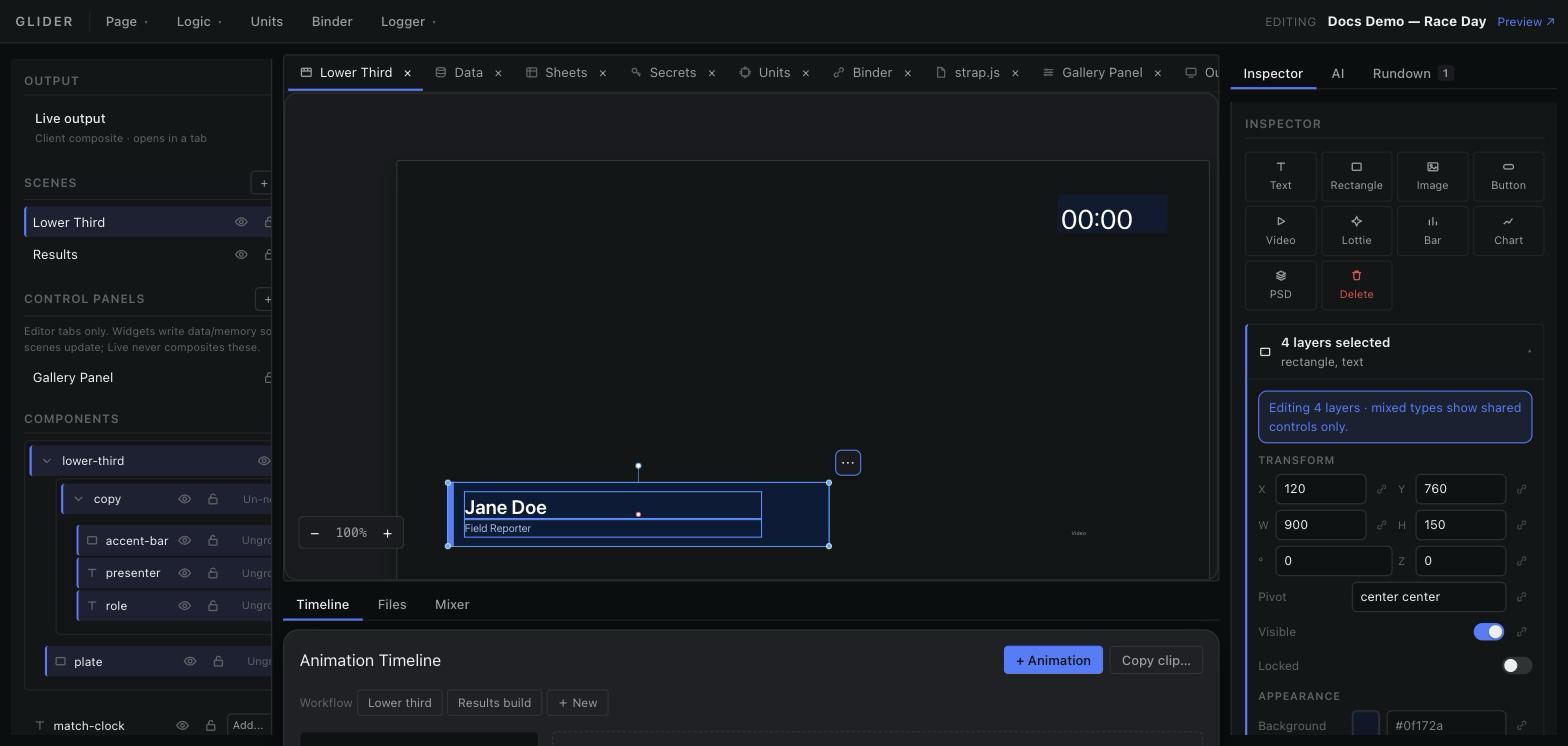
Workspace Layout
Panes, tabs and docks — how the editor screen is put together and how to rearrange it.
The five regions of the editor and what each owns.
| Region | Contents | Documented in |
|---|---|---|
| Menu bar | Page, Logic, Binder, Logger + editing status | Menu Bar |
| Left column | Output, Scenes, Control Panels, Components | Scene Panel |
| Centre workspace | Tabbed panes: scenes, logic sections, units, binder, output, rundown, files | Editor Tabs |
| Bottom dock | Timeline · Files · Mixer · Shape · Multiview | Animation Timeline, Files, Audio Mixer, Shape editor, Multiview |
| Right column | Inspector · AI · Rundown | Inspector, AI (agent chat), Rundown |