Rundown
Playlists, preview and program — the operator's running order.
Taking, previewing and the tallies.
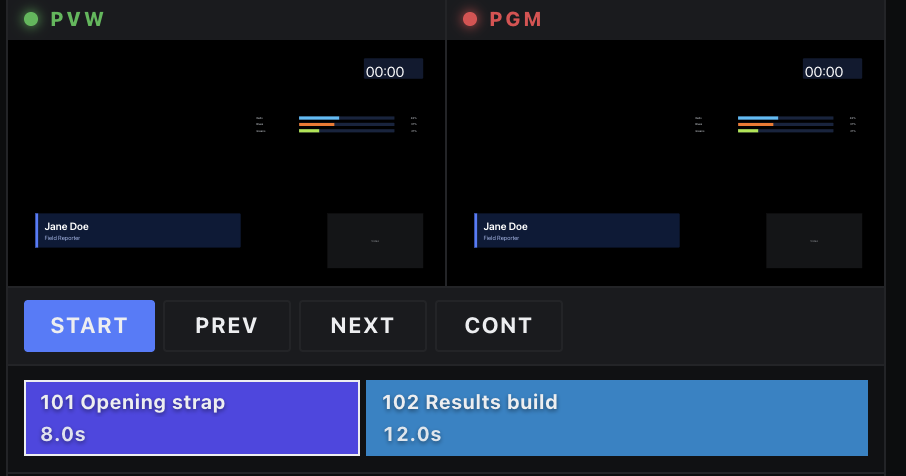
Two mini monitors sit above the list, each naming the rows it shows. PGM, in red, is what is on air. PVW, in green, is program as it will look after the next take: the row Start takes while nothing is on air, then the row Next takes, or End of playlist when Next has nowhere to go. PVW shows that row at rest, without playing its animations. Each row carries a pair of tallies: PVW for the row in preview, PGM for a row on air.
| Action | Does |
|---|---|
| Start | Takes the cued row — or the first row, depending on Begin from selected — and clears the overlays first if Clear overlays is on. |
| Next / Previous | Steps the cue and takes it. With Loop off, they stop at the ends. |
| Continue | Fires the selected row's continue animation. |
| Row toggle | Takes that row on or off directly. |
| Playlist option | Effect |
|---|---|
| Loop | Next wraps from the last row to the first. |
| Begin from selected | Start takes the cued row rather than the top of the list. |
| Clear overlays | Start takes every on-air overlay off first. |
| Manual mode | Disables auto-Next — durations stop advancing the playlist. |