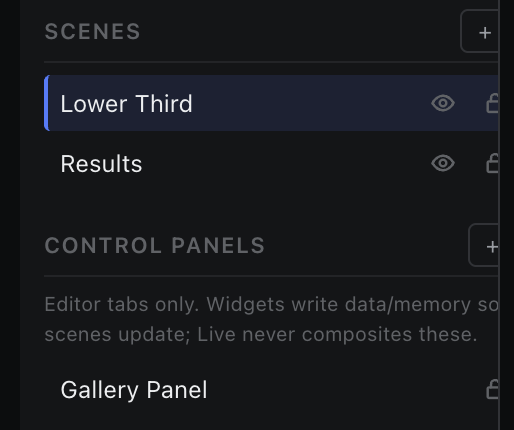
Scene Panel
The left column: what is on air, the scene list, control panels, and the component tree.
Creating, ordering, showing, hiding and locking canvas scenes.
Canvas scenes are the layers that composite into the output. + Scene adds one; the list shows them in composite order.
| Control | What it does |
|---|---|
| Click the name | Makes the scene active and opens (or focuses) its canvas tab. |
| Double-click the name | Renames inline. Enter commits, Escape cancels, an empty name is rejected. |
| Drag the row | Reorders the scene, which changes stacking in the composite. |
| Eye | Show / hide — this is the on-air toggle. |
| Lock | Prevents edits to the scene's contents. |
| × | Deletes the scene. Disabled when it is the last one: at least one scene must remain. |