Scene Panel
The left column: what is on air, the scene list, control panels, and the component tree.
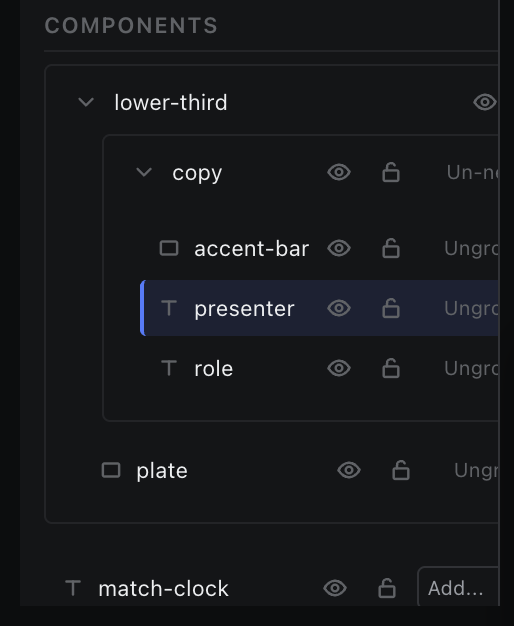
The node tree for the active scene.
Components lists everything in the active scene — groups first, each drawn as a bordered block, then ungrouped nodes. That list is the stacking order: the first row draws in front, the last row draws behind, and an earlier group draws in front of a later one. A new component lands at the top of its list, in front of what is already there, and a paste does the same. Drag a row to change what covers what. The header counts nodes.
| Control | What it does |
|---|---|
| Click a row | Selects it. Shift, Ctrl or Cmd click adds to the selection. |
| Double-click a row | Renames inline. |
| Chevron on a group | Collapses or expands that group. |
| Eye / Lock | Per node and per group. |
| Drag a row | Reorders within its bucket — siblings of a group, members of a group, or the ungrouped list. A row above its siblings draws in front of them. A drop only highlights inside the matching bucket. |
| Alt / Option + click the line between two rows | Clips the upper row to the one below, or releases it. The line highlights while Alt is held over it. A plain click on that line still selects the row. |
| Add… select | On an ungrouped node: adds it to an existing group. |
| Ungroup | On a grouped node: removes it from its group. |
| Un-nest | On a nested group: moves that group out to the top level. |
A group row reads as selected when every node beneath it — including nodes in its child groups — is selected. Picking the group selects all of them.