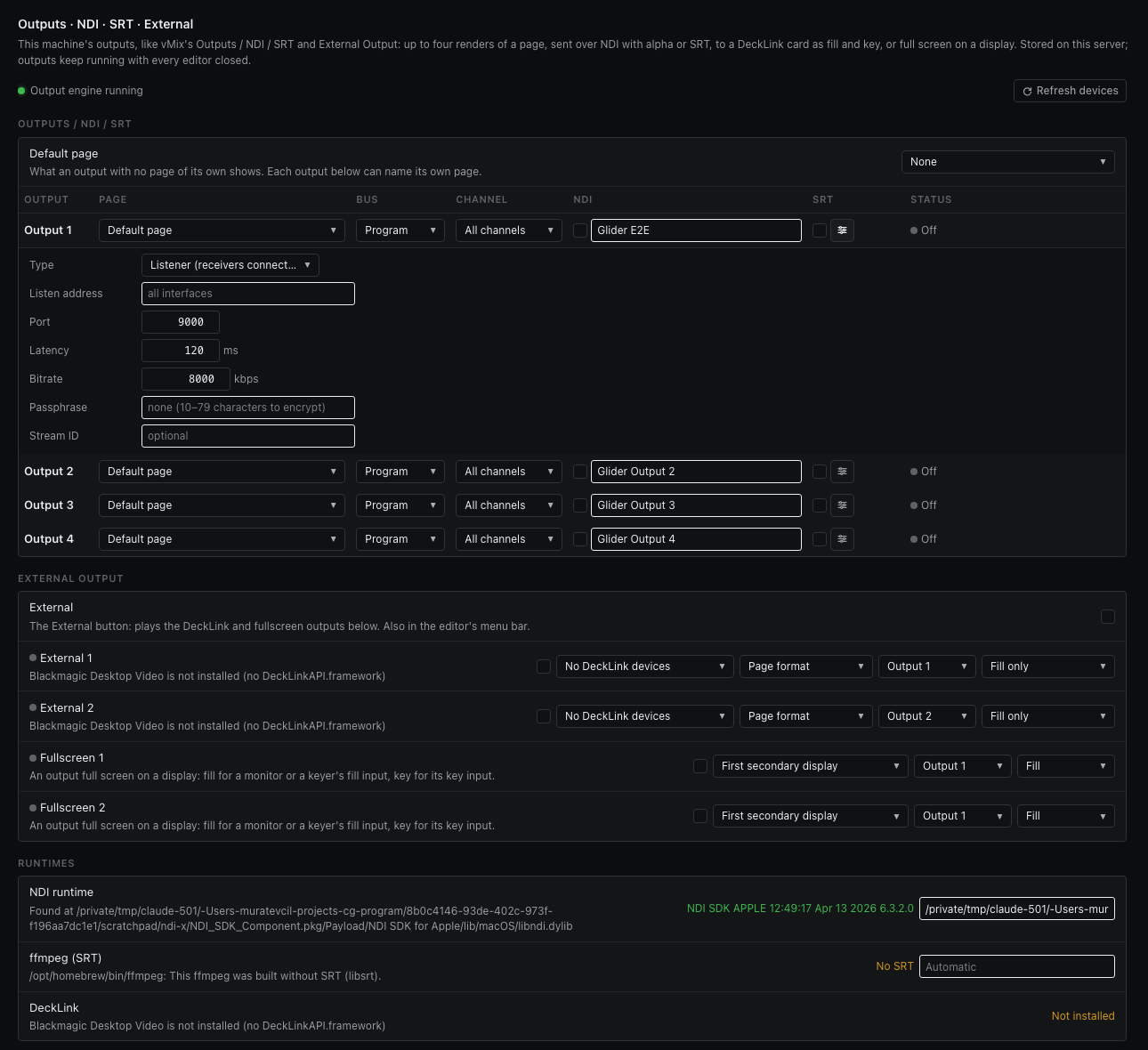
Outputs · NDI · SRT · RTMP · External
Send a page out of Glider itself — NDI with alpha, SRT, RTMP streaming, DeckLink SDI fill and key, or full screen on a display — like vMix's Outputs, Stream and External Output.
Four outputs, their sinks, and the engine behind them.
Settings › Outputs holds this machine's outputs, laid out like vMix's Outputs / NDI / SRT and External Output settings. Each of Output 1–4 renders one page — its program or its preview bus, every channel or just one — at that page's size and frame rate, and sends it where you tick.
| Sink | Carries | Runs when |
|---|---|---|
| NDI | The graphic with its alpha channel (straight alpha), named “Glider Output 1” unless you rename it. | Its box is ticked. |
| SRT | H.264 in MPEG-TS over SRT, the graphic over black (SRT has no alpha). Caller or listener, latency, passphrase, stream ID and bitrate per output. | Its box is ticked. |
| RTMP | H.264 and AAC in FLV to YouTube Live, Twitch, Facebook Live, Restream or any rtmp:// / rtmps:// server, the graphic over black. | The Stream switch is on. |
| External (DeckLink) | SDI/HDMI from a Blackmagic DeckLink card: fill only, fill + key on two connectors, or the card's internal keyer. | The External switch is on. |
| Fullscreen | The output full screen on a display, as fill or as key, for a monitor or a keyer fed over HDMI/DP. | The External switch is on. |
| Web | The rendered picture as H.264 over plain http at /out/<output>, for a browser or an encoder's browser source on another computer, with its key if you tick Key. | Settings › Outputs › Web is set to H.264 from this machine and someone is watching. |
Each way out is its own channel. Turning one on or off opens or closes only that channel: the render and the other channels carry on, so starting a web stream never costs SDI its signal.
The rendering happens in the output engine, a separate process the server starts when an output needs it and stops when none does. A driver or renderer that crashes costs a second of one output: the engine is restarted (1, 2, 4 … 30 s apart) and the server, the editor and every browser-source output keep going. Outputs come back on their own after a restart.