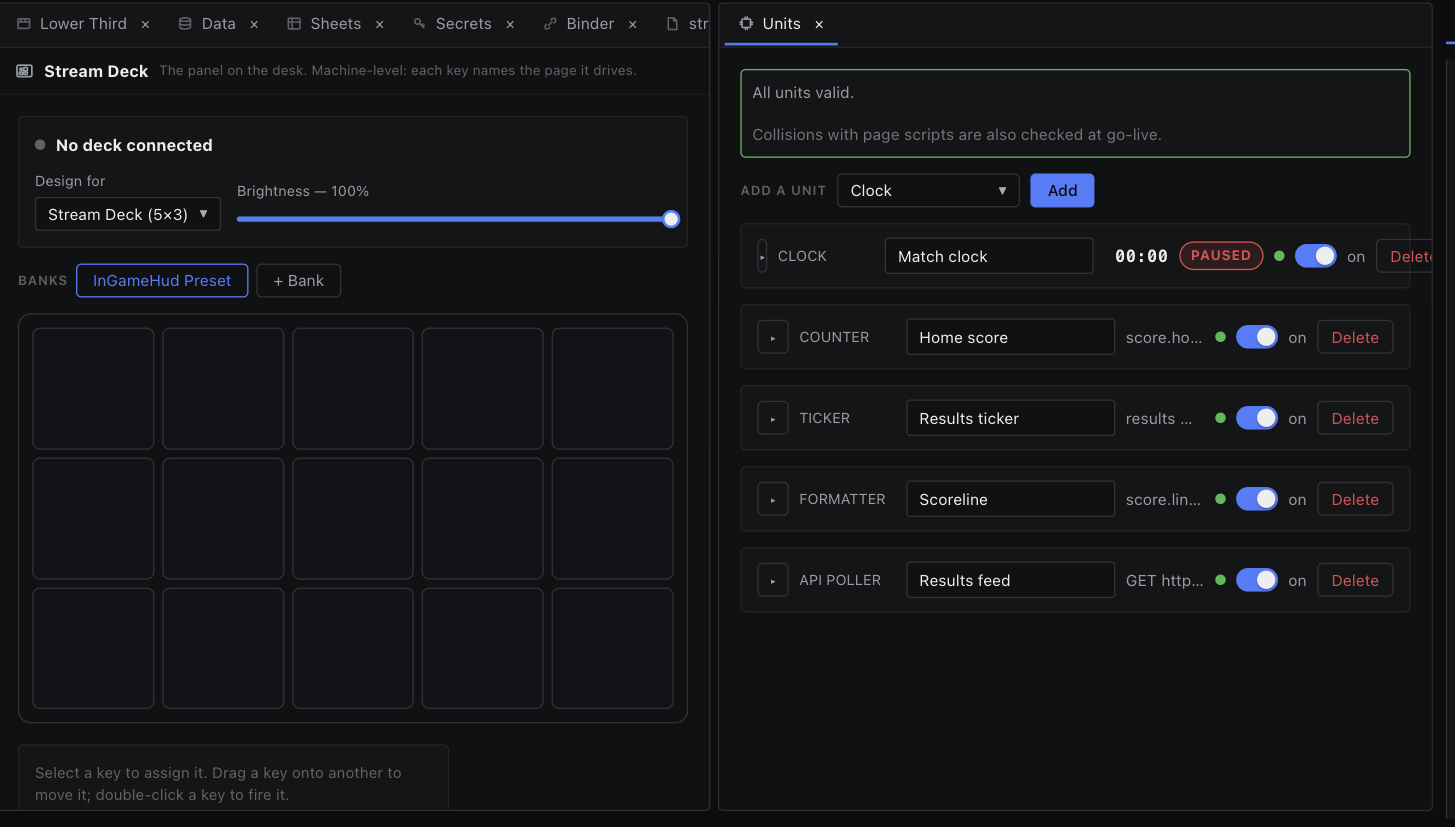
Workspace Layout
Panes, tabs and docks — how the editor screen is put together and how to rearrange it.
Two panes, side by side or stacked.
Drag a tab to the edge of a pane and drop it there. The outer 28 % of the pane on each side is a split zone; an overlay shows the half the new pane will take.
| Drop edge | Result |
|---|---|
| Left / right | A row split — panes side by side. |
| Top / bottom | A column split — panes stacked. |
- A split starts at 50/50. Drag the divider to resize; neither pane can go below 15 %.
- Two panes is the ceiling. With a split already open, edge drops do nothing.
- Closing or moving away the last tab in a pane removes that pane and the layout collapses back to one.
- New tabs open in the focused pane — the one you last clicked in.